
Skip to content
View in the app

A better way to browse. Learn more.

Sonic-Hardcore

A full-screen app on your home screen with push notifications, badges and more.

To install this app on iOS and iPadOS
  1. Tap the Share icon in Safari
  2. Scroll the menu and tap Add to Home Screen.
  3. Tap Add in the top-right corner.
To install this app on Android
  1. Tap the 3-dot menu (⋮) in the top-right corner of the browser.
  2. Tap Add to Home screen or Install app.
  3. Confirm by tapping Install.

ReFX – Lo-fi 2 (Nexus 4 Expansion) 1.0.0

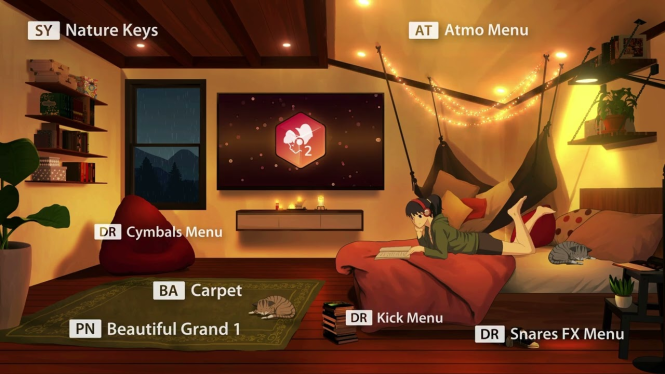
1 Screenshot

Publisher: reFX
Website: reFX Lo-fi 2
Format: SOUNDBANK
Quality: 24 bit 44.1 kHz stereo


Description: Extension for Nexus 4More crunch!
Looking for amazing “raw” sounds?
This expansion picks up where we left off and offers inspiring, unexpected, unique, underground and non-mainstream sounds suitable for any genre.
This one is perfect for anywhere you need some grungy lo-fi mojo!

Additional Information :
More Crunch!
Get low – and dirty – with Lo-fi 2!
Looking for some wonderfully gritty, “unpolished” sounds? This expansion picks up where we left off and delivers inspiring, unexpected, unique, underground, and non-mainstream sounds suitable for any genre.
This one is perfect for anywhere you need some grungy, Lo-fi mojo!


Installation :
Copy the NKS, Presets, Samples folders and paste them into your main Nexus Content folder.

User Feedback

Recommended Comments

There are no comments to display.

Create an account or sign in to comment

Account

Navigation

Search

Search

Configure browser push notifications

Chrome (Android)
  1. Tap the lock icon next to the address bar.
  2. Tap Permissions → Notifications.
  3. Adjust your preference.
Chrome (Desktop)
  1. Click the padlock icon in the address bar.
  2. Select Site settings.
  3. Find Notifications and adjust your preference.