
Release Date: August 25, 2026
Version: 1.5.21 (5399)
Developer: Reveal Sound
Developer Website: https://www.reveal-sound.com/plug-ins/spire
Format: VSTi, VSTi3, CLAP, AAX
Bit Depth: 64-bit
Crack: Cracked
System Requirements: Windows x64
331.4 MB
Description:
⚡ANALOG / DIGITAL excellence⚡
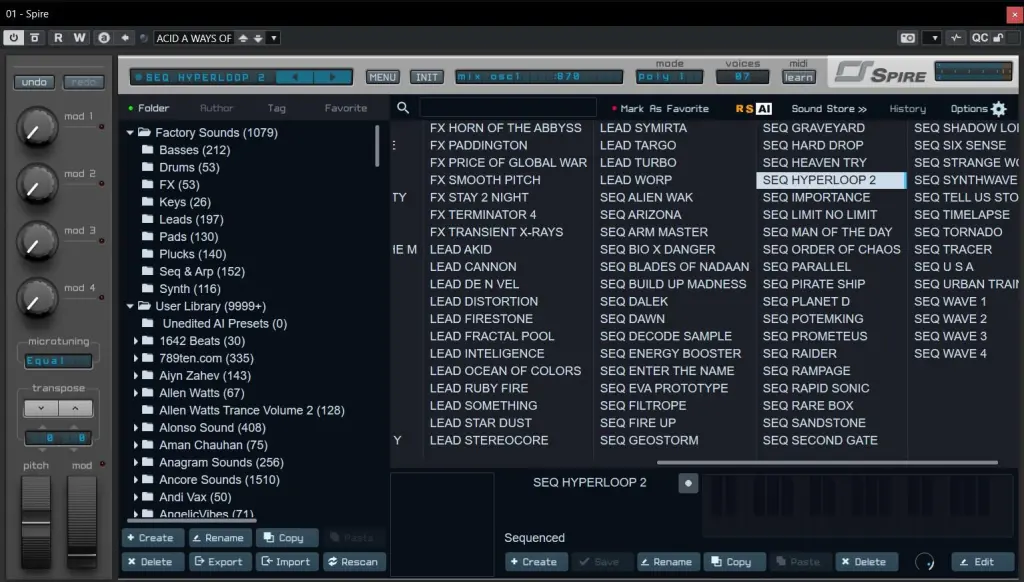
Spire is a software polyphonic synthesizer that combines a powerful modulation sound engine with a flexible architecture;
its graphical interface offers unparalleled ease of use.
Spire embodies the best features of both software and hardware synthesizers.
About the Software:
VERSATILE OSCILLATORS
4 multi-mode polymorphic oscillators
Classic, Noise, FM, AMSync, SawPWM, HardFM, Vowel
UNIQUE UNISON ENGINE
9 unison voices per oscillator
Spreads unison voices across chords and octaves
Capable of emulating various unison types, such as Super-Saw and Hyper-Saw
SUPERIOR AUDIO FILTERS
2x multi-mode filters with analog and digital filter types
Perfecto, Infecto, Acido, Scorpio, Combo, Shaper
HIGH-QUALITY BUILT-IN FX PROCESSOR
Shaper/Decimator, Phaser/Vowel, Chorus/Flanger, Delay, Reverb
INCREDIBLY FLEXIBLE MODULATION ARCHITECTURE
4x macros, 4x envelopes, 4x LFOs with morphable shapes,
15 matrix slots, each featuring 2x sources and 4x targets
2x Step Sequencers, Arpeggiator
Amazingly convenient and easy to use!
FAT UP YOUR SOUNDS
with X-Comp (multi-band compressor) and 3-band EQ
Changelog:
Spire Synthesizer 1.5.21 – Build 5399 (2026.08.25)
* Improved stability and critical bug fixes
Recommended Comments
Create an account or sign in to comment