
Admin
Administrators
-
Joined
-
Last visited
Everything posted by Admin
-
 Publisher: reFX Website: reFX Guitars 2 Format: NXS Quality: 16 bit 44.1 kHz stereo Description: Extension for Nexus 4 rompler (v.4.5.13) Guitars 2 will add soul to your next creation. Whether you’re looking for heavily distorted, funky electric, nylon/acoustic, electric bass guitars, or even heavily processed ambient guitars, it’s all here. Guitars 2 is here with countless playable guitars to add soul into your next creation. No matter whether you are looking for powerfully distorted, funky electric, nylon/acoustic, electric basses, or even heavily processed ambient guitars, it’s all here. Recorded with top-notch microphones and amps, and complete with vast multisamples, velocity zones, and real life guitar fret noises, you will fall in love with this one in an instant. Installation : Copy all folders from the XP Guitars 2 folder and paste them into the main Nexus Content folder on your computer.
 -
ReFX – Future Rave (Nexus 4 Expansion) creator: reFX Website: reFX Format: NXS Description: Extension for rompler Nexus 4 Installation : Move all three folders to the Nexus Library folder If you want to have a preview icon move the file Future_Rave.svg to C:\Users\xx\AppData\Roaming\reFX\cloud\cache\images File Information Submitter Admin Submitted 08/30/2026 Category Nexus View File

-
creator: reFX Website: reFX Format: NXS Description: Extension for rompler Nexus 4 Installation : Move all three folders to the Nexus Library folder If you want to have a preview icon move the file Future_Rave.svg to C:\Users\xx\AppData\Roaming\reFX\cloud\cache\images
-
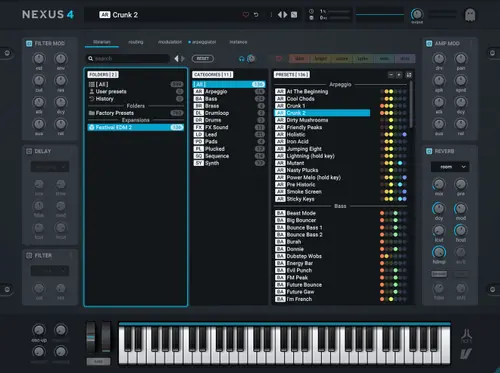
ReFX – Festival EDM 2 (Nexus 4 Expansion) Publisher:reFX Website: reFX Format: NXS Description: Extension for rompler Nexus 4 Installation : Copy all folders from the Festival EDM 2 folder and paste into your main Nexus Content folder File Information Submitter Admin Submitted 08/30/2026 Category Nexus View File
-
Publisher:reFX Website: reFX Format: NXS Description: Extension for rompler Nexus 4 Installation : Copy all folders from the Festival EDM 2 folder and paste into your main Nexus Content folder
-
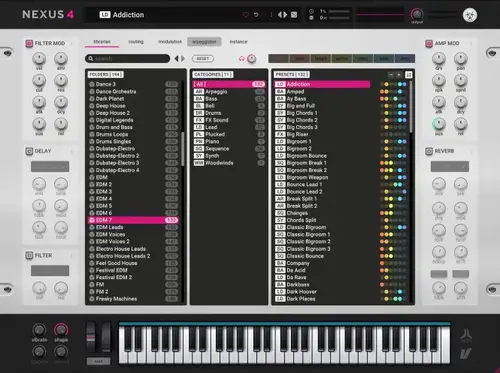
ReFX – EDM 7 (Nexus 4 Expansion) Publisher: reFX Website: reFX Format: NXS Description: Extension for rompler Nexus 4 Installation : Copy all folders from EDM 7 folder and paste into your main Nexus Content folder File Information Submitter Admin Submitted 08/30/2026 Category Nexus View File
-
Publisher: reFX Website: reFX Format: NXS Description: Extension for rompler Nexus 4 Installation : Copy all folders from EDM 7 folder and paste into your main Nexus Content folder
-
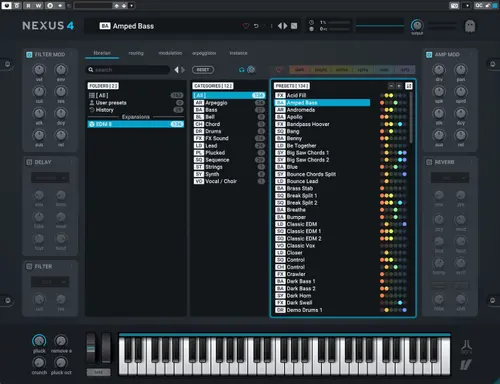
ReFX – EDM 8 (Nexus 4 Expansion) Publisher: reFX Website: reFX Format: NXS Description: Extension for rompler Nexus 4 Installation : Copy all folders from XP EDM8 folder and paste into your main Nexus Content folder File Information Submitter Admin Submitted 08/30/2026 Category Nexus View File
-
Publisher: reFX Website: reFX Format: NXS Description: Extension for rompler Nexus 4 Installation : Copy all folders from XP EDM8 folder and paste into your main Nexus Content folder
-
ReFX – EDM 9 (Nexus 4 Expansion) Publisher: reFX Website: reFX EDM 9 Format: SOUNDBANK Quality: 24 bit 44.1 kHz stereo Description: Can’t Get Enough! Ready to take your music production to the next level? How about to level 9? EDM 9 is the ultimate expansion for reFX Nexus that will electrify your tracks with the freshest dance, club, and EDM sounds. Supplying you with dynamic drum kits, captivating plucks, and energizing effects, your music will soar to new heights! Whether you’re into Progressive House, Trance, or any other EDM genre, EDM 9 is your ticket to chart-topping success! Installation : Copy the NKS, Presets, Samples folders and paste them into your main Nexus Content folder. In the Info folder there is an icon file Melodic_Techno_2.svg – place it in C:\Users\yourusername\AppData\Roaming\reFX\cloud\cache\images Regarding the files content_properties.json and tags.csv, information is available in Important.txt. I didn’t touch them – everything works for me, but maybe someone will need it… File Information Submitter Admin Submitted 08/30/2026 Category Nexus View File

-
Publisher: reFX Website: reFX EDM 9 Format: SOUNDBANK Quality: 24 bit 44.1 kHz stereo Description: Can’t Get Enough! Ready to take your music production to the next level? How about to level 9? EDM 9 is the ultimate expansion for reFX Nexus that will electrify your tracks with the freshest dance, club, and EDM sounds. Supplying you with dynamic drum kits, captivating plucks, and energizing effects, your music will soar to new heights! Whether you’re into Progressive House, Trance, or any other EDM genre, EDM 9 is your ticket to chart-topping success! Installation : Copy the NKS, Presets, Samples folders and paste them into your main Nexus Content folder. In the Info folder there is an icon file Melodic_Techno_2.svg – place it in C:\Users\yourusername\AppData\Roaming\reFX\cloud\cache\images Regarding the files content_properties.json and tags.csv, information is available in Important.txt. I didn’t touch them – everything works for me, but maybe someone will need it…
-
ReFX – Drill (Nexus 4 Expansion) Publisher: reFX Website: reFX Format: NXS Description: Nexus 4 rompler extension (version 4.5.13) Installation : Copy all folders from XP Drill folder and paste into your main Nexus Content folder File Information Submitter Admin Submitted 08/30/2026 Category Nexus View File

-
Publisher: reFX Website: reFX Format: NXS Description: Nexus 4 rompler extension (version 4.5.13) Installation : Copy all folders from XP Drill folder and paste into your main Nexus Content folder
-
ReFX – Artist Series: Armin van Buuren (Nexus 4 Expansion) Publisher: reFX Website: Artist Series: Armin van Buuren Format: SOUNDBANK Quality: 24 bit 44.1 kHz stereo Description: Legendary! Unleash the magic of Armin van Buuren’s signature sounds with the Armin van Buuren expansion for reFX Nexus! Crafted by the legend himself, this collection delivers handpicked presets, cutting plucks, atmospheric pads, ethereal pads, and uplifting leads. Dive into the world of trance, progressive, and beyond, and let Armin van Buuren’s creativity flow through you. Don’t wait any longer: Seize the Armin van Buuren expansion and embark on a musical journey like no other! Installation : Copy the NKS, Presets, Samples folders and paste them into your main Nexus Content folder. In the Info folder there is an icon file Artist_Series_Armin_van_Buuren.svg – place it in C:\Users\yourusername\AppData\Roaming\reFX\cloud\cache\images Regarding the content_properties.json and tags.csv files, information is available in Important.txt I didn’t touch them – everything works for me, but maybe someone will need it… File Information Submitter Admin Submitted 08/30/2026 Category Nexus View File

-
Publisher: reFX Website: Artist Series: Armin van Buuren Format: SOUNDBANK Quality: 24 bit 44.1 kHz stereo Description: Legendary! Unleash the magic of Armin van Buuren’s signature sounds with the Armin van Buuren expansion for reFX Nexus! Crafted by the legend himself, this collection delivers handpicked presets, cutting plucks, atmospheric pads, ethereal pads, and uplifting leads. Dive into the world of trance, progressive, and beyond, and let Armin van Buuren’s creativity flow through you. Don’t wait any longer: Seize the Armin van Buuren expansion and embark on a musical journey like no other! Installation : Copy the NKS, Presets, Samples folders and paste them into your main Nexus Content folder. In the Info folder there is an icon file Artist_Series_Armin_van_Buuren.svg – place it in C:\Users\yourusername\AppData\Roaming\reFX\cloud\cache\images Regarding the content_properties.json and tags.csv files, information is available in Important.txt I didn’t touch them – everything works for me, but maybe someone will need it…
-
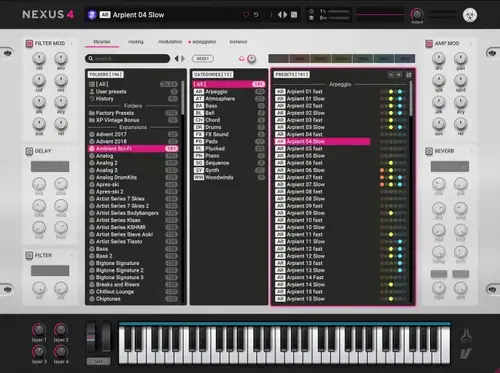
ReFX – Ambient Sci-Fi (Nexus 4 Expansion) Publisher:reFX Website: reFX Format: NXS Description: Extension for rompler Nexus 4 Installation : Copy all folders from the Ambient Sci-Fi folder and paste into your main Nexus Content folder File Information Submitter Admin Submitted 08/30/2026 Category Nexus View File
-
Publisher:reFX Website: reFX Format: NXS Description: Extension for rompler Nexus 4 Installation : Copy all folders from the Ambient Sci-Fi folder and paste into your main Nexus Content folder
-
ReFX – Afrobeats (Nexus 4 Expansion) Publisher: ReFX Website: ReFX Format: SOUNDBANK Quality: 24 bit 44.1 kHz stereo Description:Extension for Nexus 4 Ready to feel the heartbeat of Africa? 138 Presets The very first Afrobeats expansion for Nexus is here! A fusion of different musical styles, from traditional African rhythms and hip-hop to dancehall, chart and funk, it’s just what you need to infuse more soul or groove into any track. Explore traditional ethnic sounds, basslines, natural instruments and beats that define the Afrobeats genre. It is the ideal tool for any producer who wants to capture the essence of this energetic and soulful musical movement. Installation : 1. place the folders – NKS, Presets, Samples, in the Nexus Content folder 2. for those whose library does not work correctly, there are additional files with installation instructions in the Info folder Afrobeats.svg – place in C:\Users\yourusername\AppData\Roaming\reFX\cloud\cache\images information on replacing the content_properties.json and tags.csv files is available in READ ME.txt File Information Submitter Admin Submitted 08/30/2026 Category Nexus View File

-
Publisher: ReFX Website: ReFX Format: SOUNDBANK Quality: 24 bit 44.1 kHz stereo Description:Extension for Nexus 4 Ready to feel the heartbeat of Africa? 138 Presets The very first Afrobeats expansion for Nexus is here! A fusion of different musical styles, from traditional African rhythms and hip-hop to dancehall, chart and funk, it’s just what you need to infuse more soul or groove into any track. Explore traditional ethnic sounds, basslines, natural instruments and beats that define the Afrobeats genre. It is the ideal tool for any producer who wants to capture the essence of this energetic and soulful musical movement. Installation : 1. place the folders – NKS, Presets, Samples, in the Nexus Content folder 2. for those whose library does not work correctly, there are additional files with installation instructions in the Info folder Afrobeats.svg – place in C:\Users\yourusername\AppData\Roaming\reFX\cloud\cache\images information on replacing the content_properties.json and tags.csv files is available in READ ME.txt
-
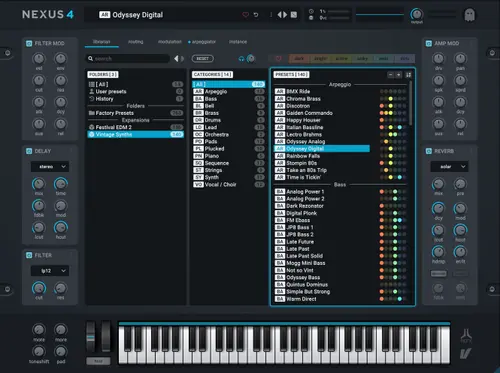
ReFX – Vintage Synths (Nexus 4 Expansion) Publisher:reFX Website: reFX Format: NXS Description: Extension for rompler Nexus 4 Installation : Copy all folders from the Vintage Synths folder and paste into your main Nexus Content folder File Information Submitter Admin Submitted 08/30/2026 Category Nexus View File
-
Publisher:reFX Website: reFX Format: NXS Description: Extension for rompler Nexus 4 Installation : Copy all folders from the Vintage Synths folder and paste into your main Nexus Content folder
-
ReFX – Vintage Synths 2 (Nexus 4 Expansion) Publisher: ReFX Website: ReFX Format: NXS Description: Extension for rompler Nexus 4 Installation : put folders in Nexus Content File Information Submitter Admin Submitted 08/30/2026 Category Nexus View File
-
Publisher: ReFX Website: ReFX Format: NXS Description: Extension for rompler Nexus 4 Installation : put folders in Nexus Content
-
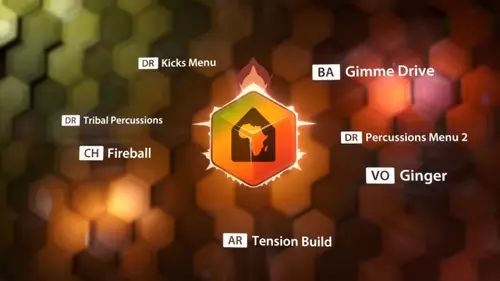
ReFX – Afro House (Nexus Expansion) Year/Release Date : 04.05.2025 Developer : reFX Developer’s website : reFX Format : SOUNDBANK Compatibility : N5 Extension for Nexus 1.43 GB Description : Feel the Pulse of the Music Get ready to rock your productions with the Afro House add-on for NEXUS! We put the infectious rhythms and pulsating grooves of this beloved genre right in your hands. Featuring a mix of influences from deep house and tribal percussion to soulful melodies and electrifying synths, this add-on is your ticket to creating tracks that move your body and lift your spirits. Immerse yourself in a rich collection of authentic African sounds, driving bass lines, hypnotic melodies and masterfully crafted drum patterns designed to infuse your music with unbridled energy and irresistible rhythm. Whether you’re a seasoned producer or just starting out in Afro House, this add-on is the perfect tool for capturing the authentic sound and feel of this exciting genre. Installation : • Move the NKS, Presets, Samples folders to the directory with your Nexus Library extensions • Copy the file with the .svg extension to the directory: WIN: C:\Users\Username\AppData\Roaming\reFX\cloud\cache\images MAC: Users/Your username/Library/Application Support\reFX\cloud\cache\images File Information Submitter Admin Submitted 08/30/2026 Category Nexus View File
-
Year/Release Date : 04.05.2025 Developer : reFX Developer’s website : reFX Format : SOUNDBANK Compatibility : N5 Extension for Nexus 1.43 GB Description : Feel the Pulse of the Music Get ready to rock your productions with the Afro House add-on for NEXUS! We put the infectious rhythms and pulsating grooves of this beloved genre right in your hands. Featuring a mix of influences from deep house and tribal percussion to soulful melodies and electrifying synths, this add-on is your ticket to creating tracks that move your body and lift your spirits. Immerse yourself in a rich collection of authentic African sounds, driving bass lines, hypnotic melodies and masterfully crafted drum patterns designed to infuse your music with unbridled energy and irresistible rhythm. Whether you’re a seasoned producer or just starting out in Afro House, this add-on is the perfect tool for capturing the authentic sound and feel of this exciting genre. Installation : • Move the NKS, Presets, Samples folders to the directory with your Nexus Library extensions • Copy the file with the .svg extension to the directory: WIN: C:\Users\Username\AppData\Roaming\reFX\cloud\cache\images MAC: Users/Your username/Library/Application Support\reFX\cloud\cache\images