Nexus
46 files
-
Year/Release Date : 12/10/2024
Developer : reFX
Developer’s website : reFX
Format : SOUNDBANK
Compatibility : N4|N5
Description : Extension for Nexus
Fast and futuristic
Your gateway to the frantic soundscapes of the future: Hyper Techno is here!
This new genre pushes the boundaries of traditional techno with its lightning-fast rhythms,
complex percussion and dizzying sound design, mixing it all with classic rave
and dance sounds of the 90s era.
Immerse yourself in a world of pulsating basslines, distorted synths,
glitchy stutter effects and hypnotic solos.
Unleash your creativity and light up the dance floor!
Installation :
• Move the NKS, Presets, Samples folders to the directory with your Nexus Library
extensions
• Copy the file with the .svg extension to the directory:
WIN: C:\Users\Username\AppData\Roaming\reFX\cloud\cache\images
MAC: Users/Your username/Library/Application Support\reFX\cloud\cache\images
- 0 Downloads
-
Year/Release Date : 12/10/2024
Developer : reFX
Developer’s website : reFX
Format : SOUNDBANK
Compatibility : N4|N5
Extension for Nexus
Description
Next Level
Discover cutting-edge Tech House sounds with our latest Nexus expansion.
This expansion contains everything you need to create your next hit,
from deep, resonant bass and punchy drums to signature hi-hats,
exciting arpeggios, dynamic solos and even versatile vocals.
Don’t miss this must-have expansion! Expand your Nexus library
and step into the new era of Tech House that is already dominating the charts worldwide.
Installation :
• Move the NKS, Presets, Samples folders to the directory with your Nexus Library
extensions
• Copy the file with the .svg extension to the directory:
WIN: C:\Users\Username\AppData\Roaming\reFX\cloud\cache\images
MAC: Users/Your username/Library/Application Support\reFX\cloud\cache\images
- 0 Downloads
-
Year/Release Date : 12/10/2024
Developer : reFX
Developer’s website : reFX
Format : SOUNDBANK
Compatibility : N4|N5
Extension for Nexus
Description
Powerful!
Unleash the essence of UK House with our latest NEXUS expansion!
A masterpiece of craftsmanship, this expansion delivers punchy basslines, deep grooves,
crisp leads, energetic plucks, and even vocals. This collection is your ticket to infectious grooves
and unforgettable anthems.
Dive into the heart of the UK house scene!
Installation :
• Move the NKS, Presets, Samples folders to the directory with your Nexus Library
extensions
• Copy the file with the .svg extension to the directory:
WIN: C:\Users\Username\AppData\Roaming\reFX\cloud\cache\images
MAC: Users/Your username/Library/Application Support\reFX\cloud\cache\images
- 0 Downloads
-
Publisher : reFX
Website : reFX
Format : SOUNDBANK
Quality : 24 bit 44.1 kHz stereo
Requirements : Nexus 5
Description :
Take your productions beyond the edge with EDM 10, the next evolution of the legendary NEXUS EDM series.
Packed with cutting-edge sounds, electrifying leads, booming basslines, and explosive effects, EDM 10
is your ultimate toolset for creating club-shaking, chart-topping hits.
Whether you’re creating festival anthems, progressive house, trance, or exploring the latest EDM subgenres,
this expansion is designed to keep you ahead of the game.
CONTENT :
15 ARP
27 BASS
04 BELL
06 CHORD
03 DRUMS
12 FX
33 LEAD
10 PLUCKED
30 SEQUENCE
05 SYNTH
Installation :
WINDOWS
1) Copy EDM_10.svg and paste it into C:\Users\Your Username\AppData\Roaming\reFX\cloud\cache\images.
2) Copy NKS-Presets-Samples folder to your Nexus library!
3) Congratulations and enjoy!
MAC OS
1) Copy EDM_10.svg and paste into /Users/Your Username/Library/Application Support\reFX\cloud\cache\images.
2) Copy the NKS-Presets-Samples folder to your Nexus library!
3) Congratulations and enjoy!
- 0 Downloads
-
Year/Release Date : 12/13/2024
Developer : reFX
Developer’s website : reFX
Format : SOUNDBANK
Compatibility : N4|N5
Description :
Deafening!
Looking for powerful tones that sound rich and complex? Look no further.
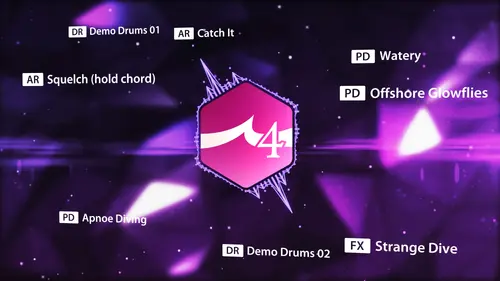
Created by leading sound designer Nico Herz, Bigtone Signature 4
is more advanced and stunning than ever before.
If you’re looking for unique pads, leads, basses, effects and other sounds
that stand out from the crowd, this is for you!
Installation :
• Move the NKS, Presets, Samples folders to the directory with your Nexus Library
extensions • Copy the file with the .svg extension to the directory:
WIN: C:\Users\Username\AppData\Roaming\reFX\cloud\cache\images
MAC: Users/Your username/Library/Application Support\reFX\cloud\cache\images
- 0 Downloads
-
Publisher : reFX
Website : reFX
Format : SOUNDBANK
Quality : 24 bit 44.1 kHz stereo
Requirements : Nexus 5
Description :
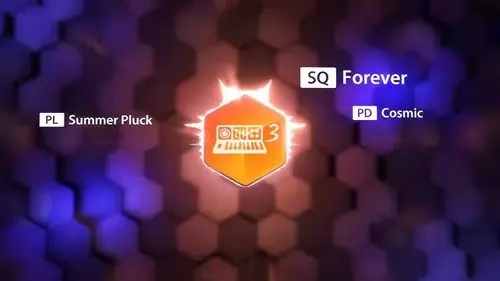
Get ready to discover the magic of the past with Vintage Synths 3!
Building on the legacy of its predecessors, this expansion is a meticulously crafted
collection of the most iconic analog and digital synthesizers from the 70s, 80s and 90s.
Sound design legends Manuel Schleiss and Andy Hinz have once again combined their knowledge and expertise,
delving into a treasure trove of vintage gear to bring you the most authentic and inspiring sounds.
17 ARP
27 BASS
06 BRASS
12 BELL
06 CHORD
02 DRUMS
01 FX
21 LEADS
01 ORCHESTRA
11 PADS
07 PIANO
08 PLUCKED
12 SEQUENCES
06 STRINGS
04 SYNTHS
06 VOCAL/CHOIR
Installation :
WINDOWS
1) Copy Vintage_Synths_3.svg and paste it into C:\Users\Your Username\AppData\Roaming\reFX\cloud\cache\images.
2) Copy NKS-Presets-Samples folder to Nexus library!
3) Congratulations and enjoy!
MAC OS
1) Copy Vintage_Synths_3.svg and paste it into /Users/Your Username/Library/Application Support\reFX\cloud\cache\images.
2) Copy NKS-Presets-Samples folder to Nexus library!
3) Congratulations and enjoy!
- 0 Downloads